
Smart Homes Need Smart Support: How to Get Remote Help Safely
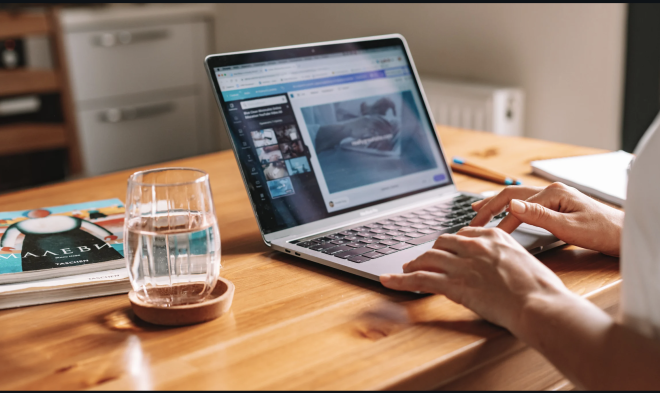
Remote assistance gives trained technicians an opportunity to examine the affected system from another location.
20:08 24 September 2026
Modern homes are increasingly dependent on connected technology. Smart doorbells, security cameras, thermostats, computers, speakers and home hubs can all communicate through internet-connected networks. These devices make everyday tasks easier, but they can also create complicated technical problems when something goes wrong. Getting an engineer to visit in person is not always convenient, particularly when the issue can potentially be diagnosed online.
This is where remote support software can be valuable. It enables an authorised technician to access a device remotely, investigate technical issues and help resolve problems without travelling to the property. However, remote assistance must be handled carefully because giving someone access to a connected device can create security risks. Understanding how remote support works and taking sensible precautions can help homeowners receive technical assistance more safely.
Why Smart Homes Sometimes Need Remote Support?
A connected home often depends on several systems operating together. A problem with a router, computer, smart hub or individual device can affect other parts of the network. For someone without technical knowledge, identifying the source of the problem may be difficult.
Remote assistance gives trained technicians an opportunity to examine the affected system from another location. Depending on the situation, they may be able to review settings, identify software problems, install necessary updates or help configure a device correctly.
This approach can also reduce the amount of time required to resolve straightforward problems. Instead of waiting for an appointment with an engineer, a homeowner may be able to receive assistance while sitting at the affected device.
Remote Access Should Always Be Controlled
Remote access can be useful, but it should never be granted without considering who is requesting it. A person with remote access may potentially see information stored on a computer or make changes to its configuration.
Before allowing a technician to connect, homeowners should establish that the support provider is legitimate. They should know who they are dealing with, why access is necessary and what work will be carried out.
Unexpected requests deserve particular caution. If someone contacts a homeowner without being asked and claims that their computer or smart-home system has a problem, the request should be independently verified. Users should never provide remote access simply because a caller or message creates a sense of urgency.
Use Temporary Sessions Where Possible
Remote assistance does not necessarily need to involve permanent access. Temporary connections can provide a more controlled way for technicians to investigate problems.
Where supported, a user can authorise a technician to connect for a specific session and then end the connection when the work is finished. This limits the period during which an external person can interact with the device.
Temporary access can be especially helpful in connected homes because computers and smart-home systems may contain personal information, account details, saved files and network credentials. Restricting access to the period when assistance is actually required can reduce unnecessary exposure.
Limit Permissions During Technical Assistance
Another important consideration is the level of access provided to a support technician. Not every troubleshooting task requires complete control of a computer or connected system.
Where possible, users should provide only the permissions necessary for the requested job. A technician dealing with a software configuration issue, for example, may not need unrestricted access to unrelated personal files or applications.
Support professionals should also explain why particular permissions are needed. If a request appears unrelated to the problem being investigated, the homeowner should feel comfortable asking questions before proceeding.
Keep Devices and Support Tools Updated
Safe remote support also depends on maintaining the devices that make up a smart home. Computers, routers, smart hubs and connected applications should be updated regularly.
Manufacturers frequently release updates that address security vulnerabilities, improve performance or resolve compatibility problems. Delaying updates for long periods can leave devices exposed to known issues and may also make technical troubleshooting more difficult.
Users should obtain updates through trusted sources and avoid installing software supplied through suspicious messages or unexpected pop-ups. Strong passwords and multi-factor authentication can also provide additional protection for accounts that control important smart-home systems.
End the Connection After Support Is Complete
Remote assistance should have a clear beginning and end. Once the technician has finished troubleshooting, the homeowner should confirm that the remote connection has been terminated.
Some support systems allow users to disconnect the technician manually, while others use temporary access codes or session-based permissions. Users should follow the appropriate procedure rather than assuming that closing a window automatically ends all access.
If temporary support software was installed for the session, users can also check whether it is still required. When it is no longer needed, removing or disabling it according to the provider's instructions can help prevent unwanted future connections.
Convenience and Security Can Work Together
Remote assistance can make maintaining a connected home much easier. A technician can investigate many technical problems without travelling to the property, potentially saving time and allowing issues to be addressed sooner.
However, convenience should always be balanced with sensible security practices. Homeowners should verify the identity of support providers, avoid unexpected remote-access requests, use temporary connections when available, restrict permissions and ensure sessions are closed once the work is complete.
As smart-home technology continues to expand, remote troubleshooting is likely to become an increasingly common part of technical support. By understanding how remote access works and remaining careful about who receives access, homeowners can benefit from convenient assistance while maintaining greater control over their connected devices.


