
How to Keep Your AR Glasses Clean and Scratch-Free?
The best way to keep AR glasses clean and scratch-free is to combine gentle cleaning with smart everyday handling.
10:05 24 October 2026
Keeping AR glasses clean and scratch-free starts with a few simple habits. Dust, skin oils, pocket lint, and improper wiping can quickly reduce clarity and leave marks on lenses or display surfaces. Because AR glasses sit close to your eyes, even minor smudges can affect comfort and image quality. The safest approach is gentle, consistent care rather than aggressive cleaning after buildup appears. You need the right tools, a careful cleaning method, and smart storage when the glasses are not in use. Good maintenance also helps protect nose pads, frames, speakers, and connectors from unnecessary wear. With a short routine and a little attention, you can keep your AR glasses looking clear, feeling comfortable, and performing well for much longer every single day.
How to Clean Your AR Glasses Safely
Gather the Right Tools Before Cleaning
Use only lens-safe supplies before you touch the glasses. Start with a clean microfiber cloth reserved for AR eyewear, not a shirt, paper towel, or tissue that can drag grit across the surface. A hand-squeezed air blower helps remove loose dust without pressure. If needed, use a lens-cleaning solution made for coated optics or lightly dampen the cloth with clean water. Cotton swabs can help around hinges, nose pads, and frame edges, but keep them barely damp. Wash your hands first so you do not transfer oil back onto the lenses. Keep a hard protective case nearby for storage after cleaning. If you use RayNeo XR glasses, having a dedicated cloth and case is especially useful because display clarity depends on clean optical surfaces.
Clean AR Glasses Step by Step Without Damage
Begin by turning off and unplugging your ARsmart glasses if they are connected to another device. Blow away loose dust first, especially around the lenses and frame edges, so particles do not scratch the surface during wiping. Next, gently wipe with a dry microfiber cloth using light, circular motions. For fingerprints or stubborn smudges, apply a small amount of lens-safe solution to the cloth, never directly onto the glasses. Clean the nose pads, bridge, and temples with a slightly damp swab, then dry those areas immediately. Avoid pressing on the display area. Finish with one last dry polish using a clean part of the cloth. Store the glasses only after they are fully dry and free of debris.
How to Prevent Scratches on AR Glasses
Avoid Common Cleaning Mistakes That Scratch Lenses
Most scratches come from routine mistakes, not major accidents. Never wipe AR glasses when dust or sand is still on the lens surface, because that turns cleaning into grinding. Do not use paper towels, napkins, tissues, or clothing, since their fibers can be surprisingly abrasive. Avoid household glass cleaners, alcohol-heavy sprays, or harsh chemicals that may damage coatings and sensitive optical layers. Spraying liquid directly onto the glasses can also push moisture into openings around electronics. Do not stack your glasses face-down on a desk, in a bag, or on a car seat where they can rub against hard surfaces. Fast, forceful wiping is another common problem. Slow, light passes with proper tools protect the lenses far better over time.
Store and Carry Your AR Glasses Safely
Safe storage matters as much as careful cleaning. Always place your AR glasses in a hard case when you are not wearing them, even during short breaks. A case prevents contact with keys, cables, coins, and other objects that can scratch lenses or pressure the frame. When setting the glasses down temporarily, place them with the lenses facing upward on a clean, stable surface. Do not leave them loose in a backpack or jacket pocket. Keep them away from extreme heat, direct sunlight for long periods, and damp environments that can affect materials and internal components. If you travel often, carry a microfiber pouch inside the hard case for extra protection. Good storage habits reduce accidental damage and preserve optical clarity.
How to Maintain Your AR Glasses for Long-Term Use
Build a Simple Daily and Weekly Care Routine
A simple routine keeps AR glasses cleaner and lowers the risk of long-term wear. Each day, inspect the lenses for dust, wipe away fingerprints with a microfiber cloth, and check the nose pads and temple areas for skin oil or residue. After use, place the glasses back in their case instead of leaving them on a table. Once a week, do a deeper clean by removing dust with air, wiping the lenses carefully, and cleaning around seams, hinges, and contact points with a damp swab. Also inspect cables, connectors, and any moving parts for dirt or strain. Replace worn cleaning cloths regularly, because trapped debris can cause scratches. Consistent care takes only minutes and helps maintain comfort, clarity, and reliability.
Protect RayNeo AR Glasses and Their Components
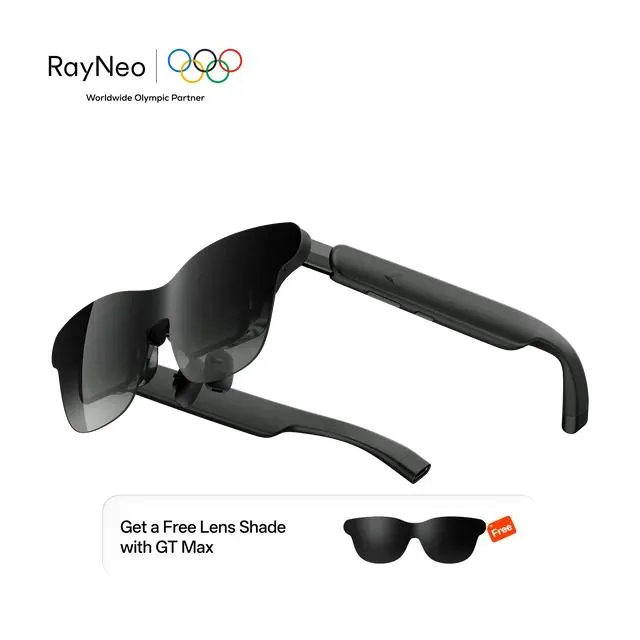
Protecting RayNeo AR glasses means caring for both optics and hardware. The RayNeo GT Max AR Glasses use a 0.6-inch SeeYa Micro-OLED display with 1920 × 1080 resolution, up to 120Hz in 2D, and brightness that reaches 1,200 nits in non-pinned mode, so clear lenses are essential for enjoying the full image. Their 59° field of view, 98% DCI-P3 color gamut, and AI HDR also benefit from regular smudge-free cleaning. Because the glasses weigh 78g and include adjustable nose pads, check fit points often and wipe away buildup to prevent discomfort. Keep the quad-speaker openings, on-device controls, and prescription-lens area clean and dry. Store them carefully to protect the frame, optical surfaces, and connected accessories from avoidable wear.
Conclusion
The best way to keep AR glasses clean and scratch-free is to combine gentle cleaning with smart everyday handling. Use a microfiber cloth, remove dust before wiping, and avoid rough materials or harsh liquids that can damage lenses and coatings. Store the glasses in a hard case, keep them away from clutter, and never place them lens-down on hard surfaces. A quick daily wipe and a more thorough weekly check go a long way toward preserving clarity, comfort, and performance. These habits are simple, but they prevent the most common causes of scratches and wear. If you treat your AR glasses like precision optics instead of ordinary eyewear, they will stay in better condition, deliver a clearer viewing experience, and remain dependable for much longer.


