
How to Choose the Right Office Laser Printer
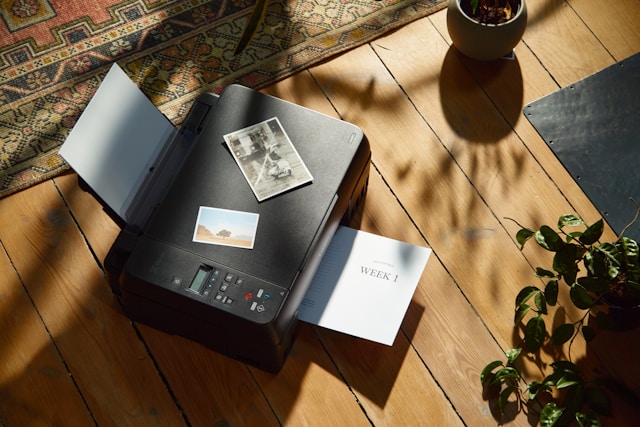
Wondering which office laser printer suits your workplace? Compare print speed, running costs, reliability and features to pick the right business
21:20 08 September 2026
How Do You Choose the Right Office Laser Printer for Your Workplace?
Picking a printer for the office sounds simple until you start comparing models. Speed, price, ongoing costs and reliability all pull in different directions. For most Australian businesses, an office laser printer strikes the best balance between quality and value. But which one actually fits your team? This guide walks through the factors that matter, from print speed to total cost of ownership, so you can make a confident decision without overspending or ending up with a machine that can't keep up.
Why Laser Printers Suit Most Offices
Laser technology uses toner and heat rather than liquid ink, which gives it a real edge in busy workplaces. Pages come out fast, dry instantly and stay sharp over time. That makes laser a natural fit for offices churning out reports, invoices and everyday documents. Compared with inkjet, laser printers handle high volumes without slowing down or clogging. If your team prints regularly, this reliability pays off day after day. For occasional photo printing an inkjet might still have a place, but for general business use, laser wins on consistency.
Print Speed and Volume Capacity
Speed is measured in pages per minute (ppm). A small team might get by with 20–30 ppm, while larger offices often need 40 ppm or more to avoid queues at the machine. Just as important is the monthly duty cycle, which tells you how many pages a printer can handle without wearing out. Buying a model built for higher volumes than you expect gives you breathing room. Consider these figures when weighing up options:
- Light use: under 2,000 pages a month
- Moderate use: 2,000–8,000 pages a month
- Heavy use: 8,000 pages or more
Matching the printer to your real workload prevents both bottlenecks and premature breakdowns.
Print Quality That Reflects Your Business
Crisp text and clean graphics make a difference on client-facing documents. Laser printers deliver sharp results measured in dots per inch (dpi), with most business models producing clear text at 600 dpi or higher. If you print marketing materials, presentations or branded reports, colour quality matters too. Mono lasers are cheaper to run and perfect for text-heavy work, while colour lasers suit teams that need vibrant output. Think about what your documents actually demand before paying for features you won't use.
Understanding Running Costs and Total Cost of Ownership
The sticker price is only part of the story. What really counts is the total cost of ownership across the machine's life. Toner cartridges, maintenance parts, energy use and paper all add up. Laser printers tend to have a lower cost per page than inkjets, especially at volume. High-yield toner cartridges stretch further and reduce how often you reorder. Before buying, check the yield rating and price of replacement toner, since a cheap printer with expensive consumables can cost more over time. Energy efficiency also affects your bottom line. Look for models with low power draw and sleep modes that cut consumption when the printer sits idle.
Reliability and Everyday Efficiency
A printer that jams or breaks down drags the whole office to a halt. Reliability comes from solid build quality, a duty cycle suited to your workload, and dependable support from the manufacturer. Efficiency features save time and money in quieter ways. Duplex printing, which prints on both sides of the page automatically, can halve your paper use. Fast warm-up times and large paper trays mean fewer interruptions. Multifunction printers combine printing, scanning, copying and faxing in one unit, which frees up desk space and simplifies your setup.
Connectivity and Security Features to Look For
Modern offices need printers that fit into flexible ways of working. Wi-Fi connectivity lets staff print from laptops and phones without cables, while cloud printing supports remote and hybrid teams who send jobs from anywhere. Security deserves attention too. Printers store data and connect to your network, so they can be a weak point if ignored. Useful security features include PIN-protected printing, user authentication and encrypted data. These stop sensitive documents from sitting in the output tray or leaking through an unsecured connection. Check that any printer you consider integrates smoothly with your existing systems and software. Compatibility saves headaches down the track.
What Businesses Should Weigh Up Before Buying
Bringing it all together, the right choice depends on how your office actually works. Run through these questions before you commit:
- How much do you print each month? This sets your speed and duty cycle needs.
- Colour or mono? Match this to your document types.
- What's the cost per page? Factor in toner yield and price.
- Which features matter? Duplex printing, multifunction abilities and connectivity vary widely.
- How important is security? Larger offices handling sensitive data need stronger protections.
Brands like Canon offer a broad range of laser printers built for different workplace sizes and budgets. If you want to compare specifications and models, browsing a dedicated office laser printer range is a practical starting point for narrowing down your shortlist. It also helps to read independent reviews and, where possible, test a demo unit. Real-world performance sometimes differs from the spec sheet, and hands-on experience reveals how intuitive a printer is for your team to use.
Conclusion
Choosing an office laser printer comes down to understanding your workload and matching it to the right mix of speed, quality, running costs and features. Focus on total cost of ownership rather than the upfront price alone, and don't overlook practical extras like duplex printing, Wi-Fi connectivity and solid security. Weigh reliability and support just as heavily as performance figures. Take time to compare options across trusted brands, including Canon, and think about how your printing needs might grow. Get these basics right and you'll land a machine that keeps your workplace running smoothly for years to come.


